One fault, kept with one item
| Entry | Record |
|---|---|
| Asset | T07, a club storage trolley. |
| Fault reported | Loose wheel. Marked out of use. |
| Next action | Named reviewer to arrange repair and check the result. |
The record stays open until the review is complete.
A fictional record, not instructions for repairing a trolley.
What an equipment maintenance log records
An equipment maintenance log is the history of checks, faults and work on one item. It helps the next volunteer see what happened without finding the person who last used it.
A club equipment register is the list of items the club holds. The maintenance log is the history behind each one. Use the same asset ID in both. A sticker such as T07 is more useful than three different names for the same trolley.
This log template has an asset details sheet, a blank fault-and-work record and a worked example. It is a manual document. It does not inspect equipment, send reminders or change a booking system.
Start with the item, not the repair
Do not invent an inspection interval to fill a blank box. Use the manufacturer instructions and the requirements that apply to the item. Ask a competent person if you are unsure.
A general log cannot replace the required records for aircraft or other regulated equipment. GlideHQ is in build, so do not treat planned software as part of your present maintenance process.
- Identify each item with an asset ID on its record.
- Add the item name, make, model and serial number if there is one.
- Record its storage place and the person responsible for it.
- Link to the instructions and check schedule for that item.
- Add the current status and date of the last review.
Work through the trolley example
Our made-up club owns trolley T07. A volunteer reports a loose wheel. The person responsible marks the trolley out of use and records where it has been put. Another member should not need to read a private chat to discover the fault.
The log names who will arrange the next step. When work is done, they add its date, a short description and the reference for any receipt or report. They do not erase the first fault entry.
The club then follows its review process before returning the item to use. Record the reviewer, date, decision and evidence. Paying a repair bill does not by itself close the fault.
| State | What is still needed |
|---|---|
| Fault reported | Make the status clear and name the next person. |
| Work arranged | Keep the item out of use while required work is open. |
| Work recorded | Complete the required review. |
| Return approved | Record the decision and update availability. |
The details worth keeping
Keep each field short enough to read later. Describe what was observed. Keep guesses separate from the findings of the person who checks it. Name the next task and who will do it.
| Keep | Example or purpose |
|---|---|
| Asset and fault reference | T07 / F01 joins the report to the right item. |
| Date and reporter | Shows when the issue was first recorded. |
| Fault and current status | Loose wheel; out of use. |
| Next action and owner | Names who will arrange the review. |
| Work and evidence | Records what was done and where the report lives. |
| Reviewer and outcome | Shows who made the return-to-use decision. |
When a paper or shared log works
A small club can keep useful records in a folder or shared file. Name an owner for the register. Keep the current status visible where people choose equipment. A fault in a folder is easy to miss if the booking list still says the item is free.
Use one record per asset and add dated entries. Make copies for backup, but tell volunteers which version to update. Keep a copy of important reports where the next equipment officer can find them.
Software is worth a closer look when the same item appears in bookings, trip plans and repair notes. Ask to see a fault change the item status in a demo. Check who can approve its return to use.
How the live apps connect the records
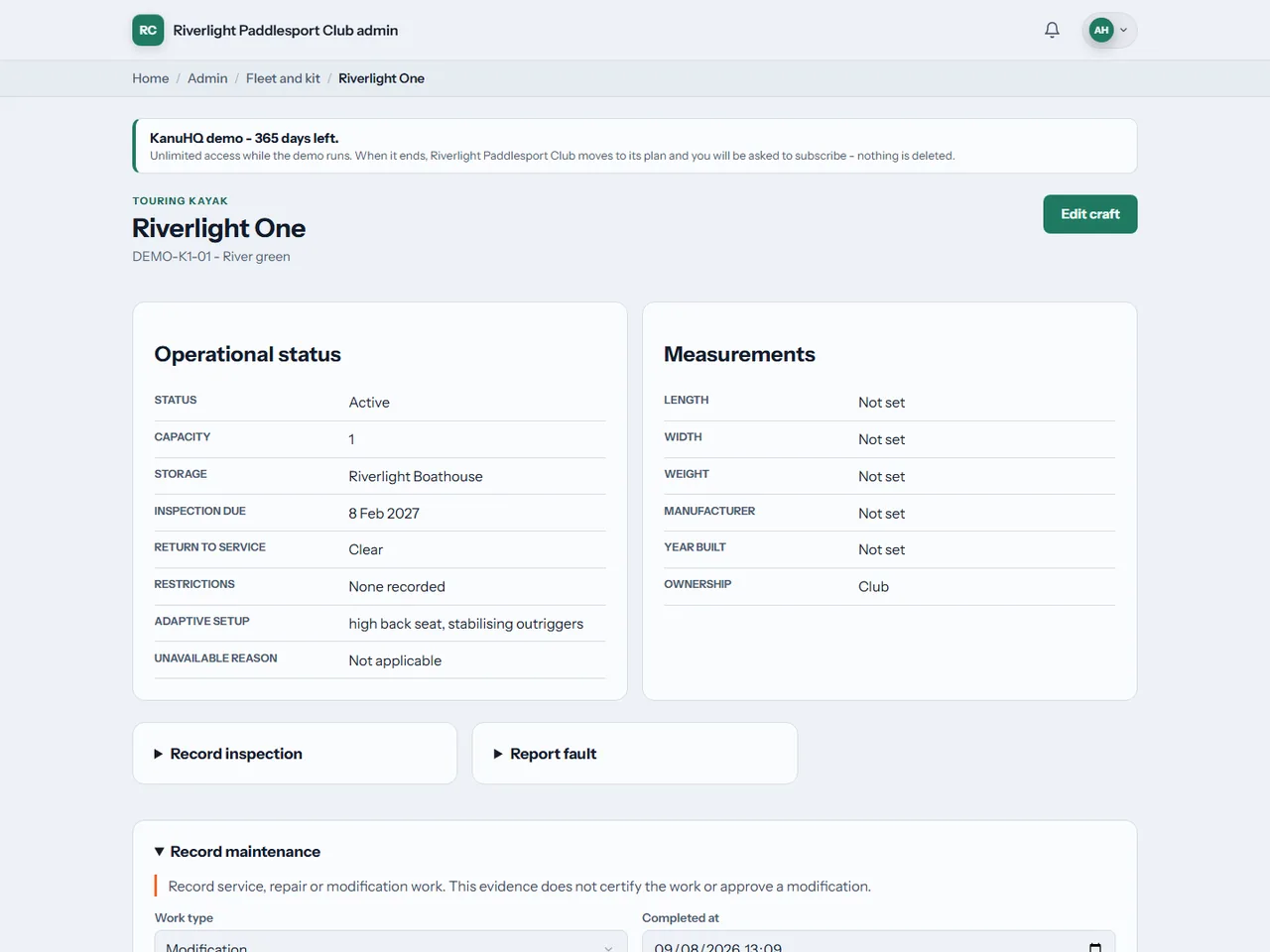
KanuHQ keeps inspection and maintenance history with the craft or kit. Failed or overdue equipment is blocked from assignment. That connects the record to the next planned use of the item.
RowHQ links damage reports and maintenance to the boat record. Staff can keep a damaged boat unavailable until it is ready. These are different sport workflows, so ask to see the app your club would actually use.
Neither example removes the need for trained people or the right checks. The benefit is a record that follows the item. The app does not prove a repair was carried out correctly.
Common questions
Does this file say when we must inspect each item?
No. Check the manufacturer instructions and the requirements for the item and activity. The log records your chosen schedule and completed work. It does not set a safe interval.
Can we use one file for the whole club?
You can keep the files in one club folder. Keep a distinct asset ID and history for each item. Do not combine several items under one vague name.
Does a completed log mean the equipment is safe?
No. It records the work and decisions. It does not replace an inspection, competent judgement or any required certificate.
Is it a spreadsheet?
No. This download is an editable Word document with a matching PDF. It has no formulas, alerts or automatic booking blocks.
Sources and limits
SportsHQ made these examples and downloads. The figures are fictional. Source pages were checked on 11 September 2026. Guidance and product features can change.
We build club software. This guide is general help, not legal, tax or safety advice. We are not linked to Microsoft or Google. Check the file in your own software before adding club records.